🚫
Exclude Products from Discount
Apply discounts to your entire catalog while excluding specific products or categories
cart Difficulty: easy
Configuration
Download Config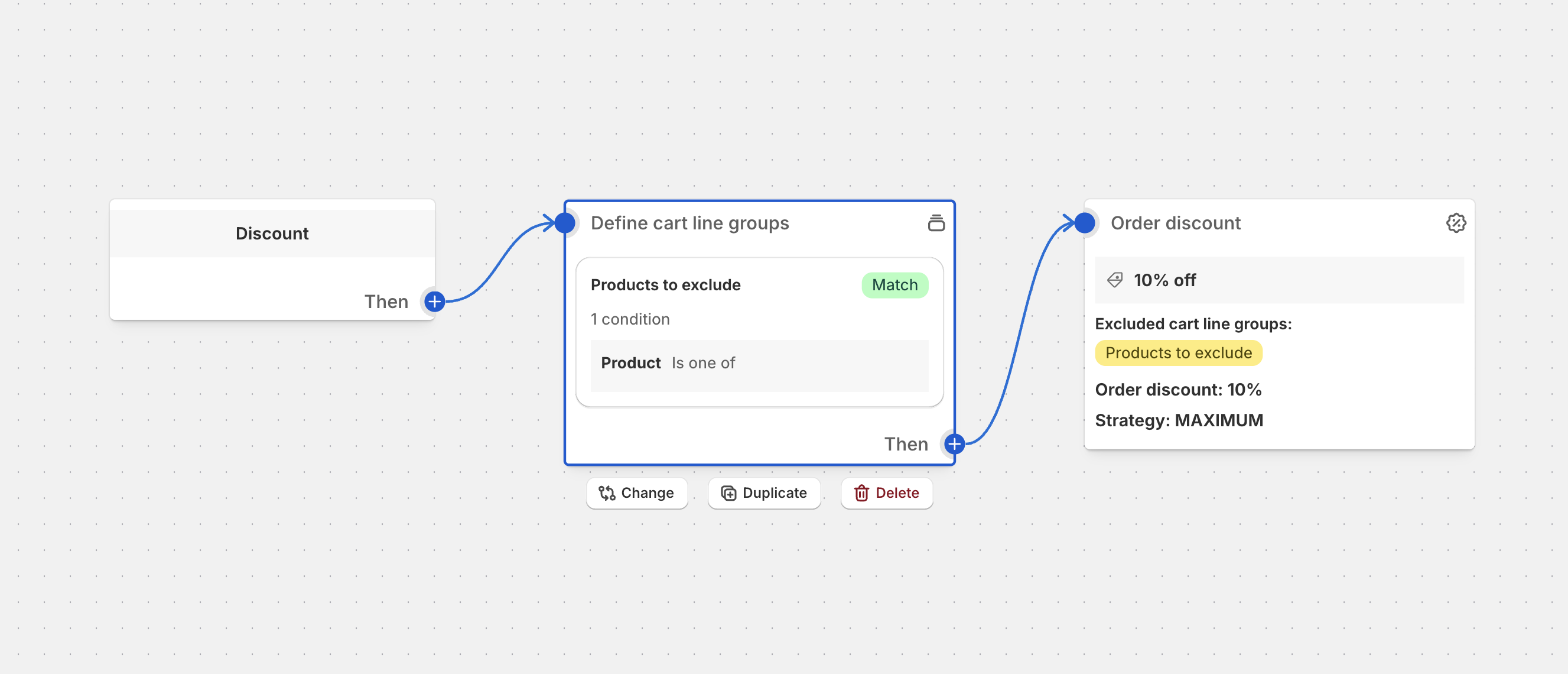
Overview
Exclude specific products from store-wide discounts to maintain margins on premium items, new releases, or already-discounted products. This approach lets you run broad promotions while protecting specific inventory from additional discounting.
Common Use Cases
- Premium Products: Exclude luxury or high-margin items from general sales
- New Arrivals: Protect new products from immediate discounting
- Already Discounted: Prevent double-discounting on sale items
- Limited Edition: Keep exclusive items at full price
- Gift Cards: Exclude gift cards from percentage-off promotions
- Third-Party Products: Exclude vendor products with pricing agreements
Best Practices
- Clear Communication: Mark excluded products clearly on product pages
- Exclusion Lists: Maintain consistent exclusion rules across promotions
- Visual Indicators: Use badges or icons to show exclusion status
- Category Management: Exclude entire categories when needed
- Regular Updates: Keep exclusion lists current with inventory changes
Setup Instructions
- Identify products to exclude from the promotion
- Import the configuration into Function Studio
- Select products to exclude from discount
- Activate the discount and test
Exclusion Strategies
Product-Level Exclusions
- By Product ID: Exclude specific SKUs
- By Product Tag: Use tags like “no-discount” or “exclude-sale”
- By Vendor: Exclude all products from certain suppliers
Category-Based Exclusions
- Entire Collections: Exclude premium or new arrival collections
- Product Types: Exclude gift cards, warranties, or services
- Price Ranges: Exclude items above or below certain thresholds
Dynamic Exclusions
- Inventory-Based: Exclude low-stock items automatically
- Date-Based: Exclude products released within X days
- Margin-Based: Exclude items below target profit margins
Advanced Strategies
Smart Exclusion Rules
- Tiered Exclusions: Different exclusion lists for different discount levels
- Time-Based Rules: Automatically include products after launch period
- Customer-Specific: VIP customers bypass certain exclusions
- Conditional Logic: Exclude based on cart total or quantity
Exclusion Combinations
- AND Logic: Product must meet all criteria to be excluded
- OR Logic: Product excluded if it meets any criteria
- Nested Rules: Complex exclusion hierarchies
Alternative Offers
- Substitute Discounts: Offer different promotions for excluded items
- Bundle Incentives: Include excluded items in special bundles
- Future Credits: Promise future discounts on excluded items
Performance Metrics
Track these exclusion-related KPIs:
- Revenue protection from exclusions
- Customer understanding of exclusion rules
- Cart abandonment due to exclusions
- Excluded product conversion rates
- Margin preservation effectiveness
- Customer satisfaction with transparency
Ready to implement this discount?
Import this configuration into Function Studio and start offering this discount to your customers.