🏆
Spend Tiers Discount
Progressive discount tiers that reward customers with increasing savings as they spend more
cart Difficulty: medium
Configuration
Download Config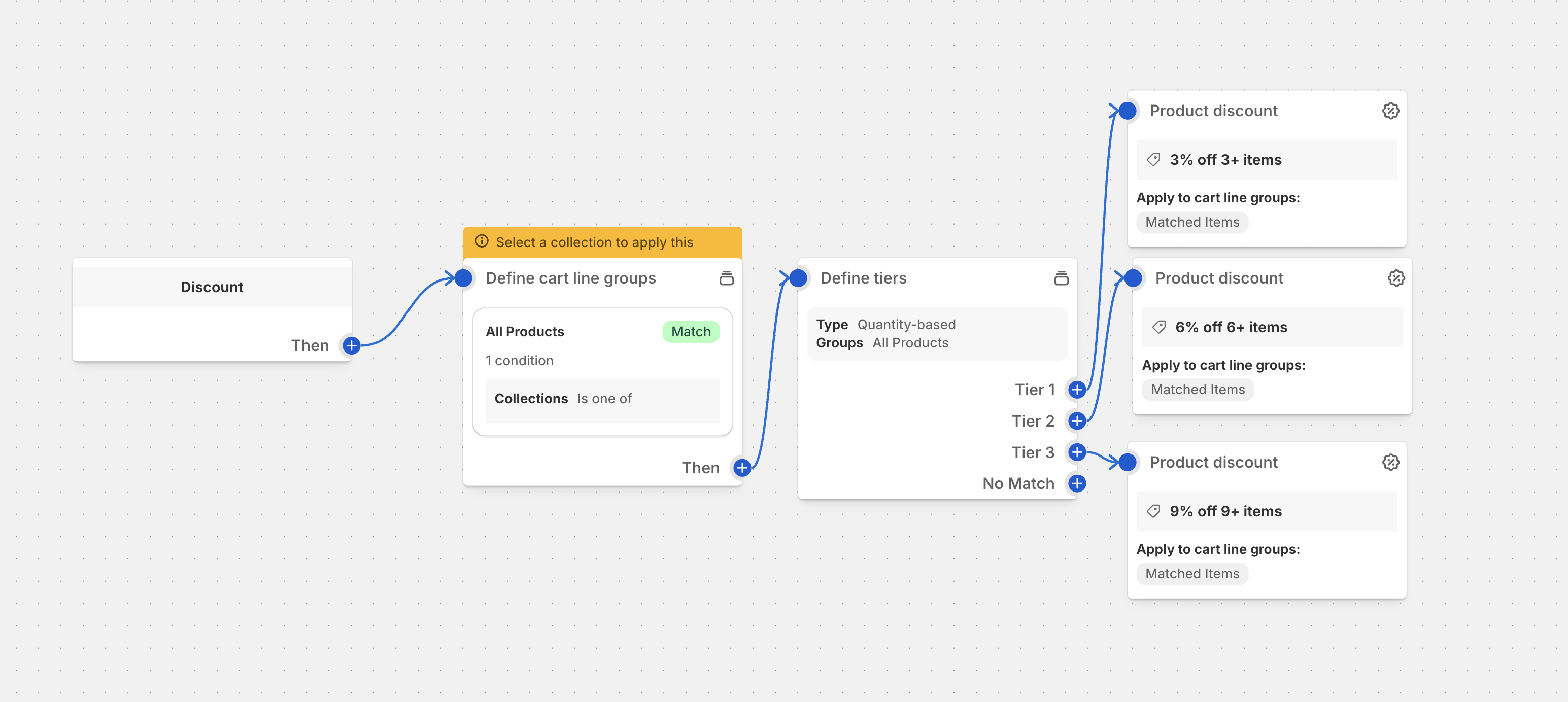
Overview
Spend tiers discounts create progressive reward structures that encourage customers to increase their order value. Each spending tier unlocks better discounts, creating a compelling incentive for customers to add more items to their cart.
Common Use Cases
- Tiered Savings: Spend $50 = 10% off, $100 = 20% off, $200 = 30% off
- Loyalty Incentives: Higher tiers for repeat customers or VIP members
- Seasonal Promotions: Special tier structures for holidays and events
- Clearance Events: Aggressive tiers to move inventory quickly
- New Customer Acquisition: Attractive tiered offers for first-time buyers
Best Practices
- Clear Tier Communication: Make spending requirements and rewards obvious
- Strategic Tier Spacing: Set realistic tiers that encourage incremental spending
- Progressive Value: Each tier should offer meaningfully better rewards
- Visual Progress Indicators: Show customers exactly how close they are to the next tier
- Mobile Optimization: Ensure tier information displays well on mobile devices
Setup Instructions
- Define your tier structure with spending thresholds and corresponding discounts
- Choose discount types for each tier (percentage, fixed amount, or fixed price)
- Configure tier progression logic and minimum spend requirements
- Set up progress visualization components
- Test tier calculations across different cart scenarios
- Implement clear messaging for each tier achievement
Tier-Based Pricing Strategy
Standard Tier Structures
- Entry Level: $0-50 = No discount
- Bronze Tier: $50-99 = 5-10% off
- Silver Tier: $100-199 = 15-20% off
- Gold Tier: $200-499 = 25-30% off
- Platinum Tier: $500+ = 35%+ off
Smart Tier Configuration
- Dynamic Tiers: Adjust tiers based on product categories or customer segments
- Time-Based Tiers: Different tiers for different times of day or week
- Location-Based: Geographic-specific tier adjustments
- Customer Type: Different tiers for new vs returning customers
Advanced Tier Logic
- Tier Persistence: Maintain tier progress across multiple cart sessions
- Tier Reset Rules: When and how to reset customer progress
- Tier Exclusivity: Prevent customers from accessing multiple tiers simultaneously
- Tier Stacking: Allow or prevent combining with other promotions
Display Components
Tier Breakdown Example
🎯 Current Cart: $75

Next Tier: Silver ($100)
💰 You're $25 away from 20% off!

Your Tiers:
• $0-$49: No discount
• $50-$99: 10% off (achieved!)
• $100-$199: 20% off (almost there!)
• $200+: 30% off (big savings!)
Advanced Strategies
Dynamic Tier Management
- Seasonal Adjustments: Lower thresholds during slow seasons
- Inventory-Driven: Create tiers around specific product categories
- Competitive Response: Match or beat competitor tier structures
- Real-Time Optimization: Adjust tiers based on conversion data
Customer Segmentation Tiers
- New Customers: More aggressive tiers to encourage first purchases
- Loyal Customers: Special VIP tiers with better rewards
- High-Value Customers: Exclusive tiers with premium benefits
- At-Risk Customers: Retention-focused tier structures
Multi-Dimensional Tiers
- Product Category Tiers: Different tiers for different product types
- Brand-Specific Tiers: Premium brand tiers vs standard product tiers
- Order Frequency Tiers: Different tiers based on purchase history
Performance Metrics
Track these tier-specific KPIs:
- Average order value by tier achievement
- Tier progression conversion rates
- Customer journey completion through tiers
- Revenue impact of tier structure changes
- Customer satisfaction with tier rewards
- Cart abandonment rates at tier thresholds
- Repeat purchase rates for tier achievers
Technical Implementation
Tier Calculation Logic
- Progressive Tiers: Each tier builds upon the previous one
- Non-Progressive Tiers: Each tier is calculated independently
- Best Tier Only: Customer gets the highest tier they qualify for
- All Qualified Tiers: Customer gets benefits from all tiers they reach
Integration Points
- Cart Validation: Real-time tier calculation as items are added
- Checkout Display: Clear tier status and progress indicators
- Order Confirmation: Tier achievement celebration
- Email Marketing: Tier-based follow-up communications
Troubleshooting Common Issues
Tier Not Applying
- Verify minimum spend requirements are met
- Check if tier exclusivity rules are preventing application
- Confirm tier calculation logic matches expected behavior
Progress Bar Inaccuracy
- Validate cart total calculations
- Check for excluded items or categories
- Verify tier threshold configurations
Multiple Tier Conflicts
- Review tier priority settings
- Check for overlapping tier conditions
- Validate tier stacking configurations
Ready to implement this discount?
Import this configuration into Function Studio and start offering this discount to your customers.