📊
Volume Discount
Encourage bulk purchases with quantity-based tiered pricing
volume Difficulty: advanced
Configuration
Download Config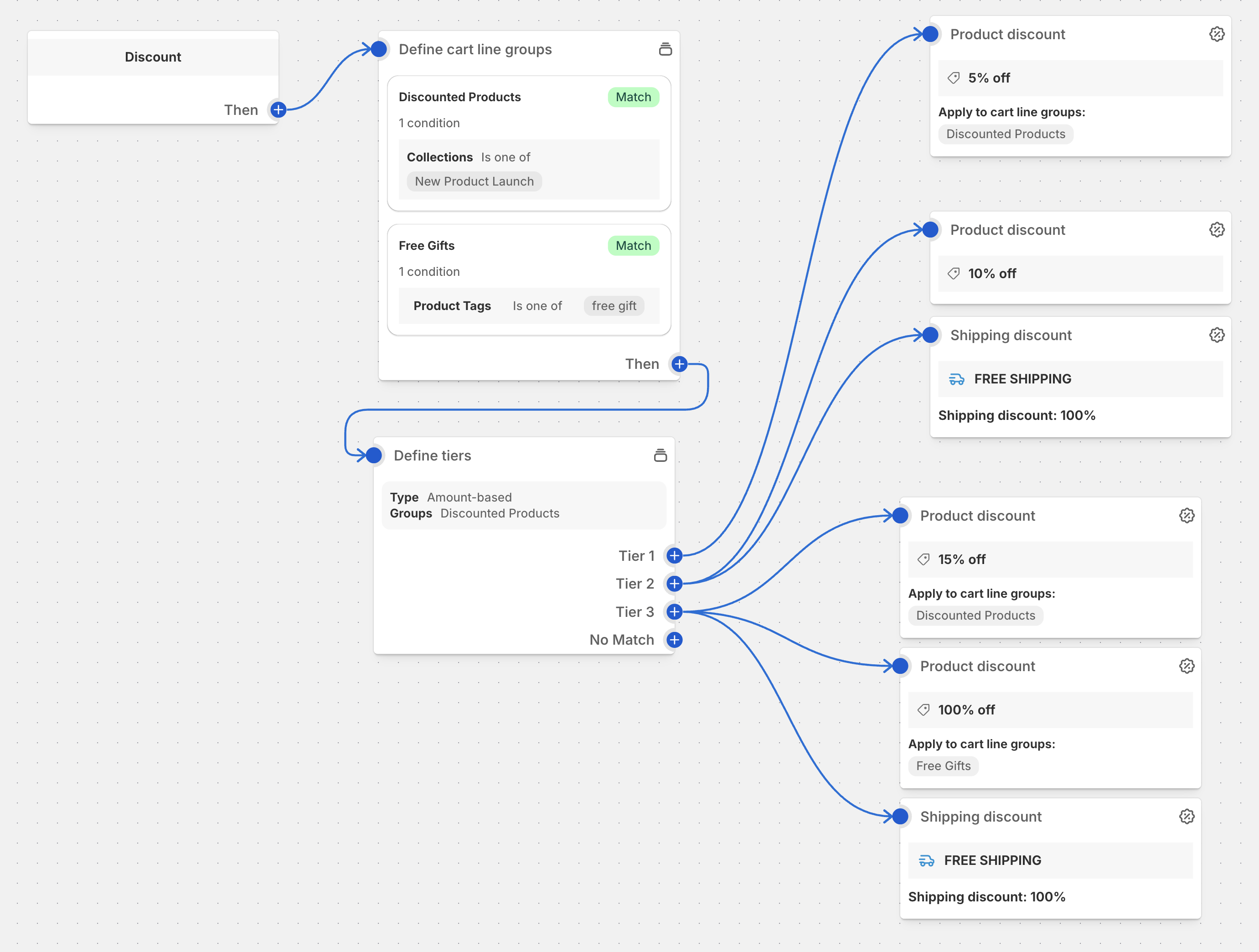
Overview
Volume discounts reward customers for buying in larger quantities by offering progressively better prices. This classic pricing strategy helps move inventory faster while increasing average order values.
Common Use Cases
- Wholesale Pricing: B2B quantity breaks
- Bulk Buying: Consumer packaged goods
- Clearance Sales: Move excess inventory
- Subscription Boxes: Encourage longer commitments
- Corporate Orders: Special pricing for large orders
Best Practices
- Clear Tier Display: Show savings table on product pages
- Meaningful Breaks: Set quantities that make sense for your products
- Progressive Value: Ensure each tier offers compelling additional value
- Inventory Planning: Align with your stock levels and reorder points
Setup Instructions
- Create the discount in Function Studio
- Import the configuration
- Define your quantity tiers
- Set discount percentages for each tier
- Select eligible products
- Test all tier transitions
Pricing Strategies
Aggressive Tiering
- 3+ items: 10% off
- 5+ items: 20% off
- 10+ items: 30% off
Gentle Tiering
- 5+ items: 5% off
- 10+ items: 7% off
- 20+ items: 10% off
Fixed Amount Tiering
- 3+ items: $5 off each
- 5+ items: $8 off each
- 10+ items: $12 off each
Advanced Features
- Product-Specific Tiers: Different tiers for different products
- Category-Based: Apply to entire product categories
- Time-Limited: Combine with date restrictions
- Customer-Specific: Different tiers for different customer groups
Ready to implement this discount?
Import this configuration into Function Studio and start offering this discount to your customers.