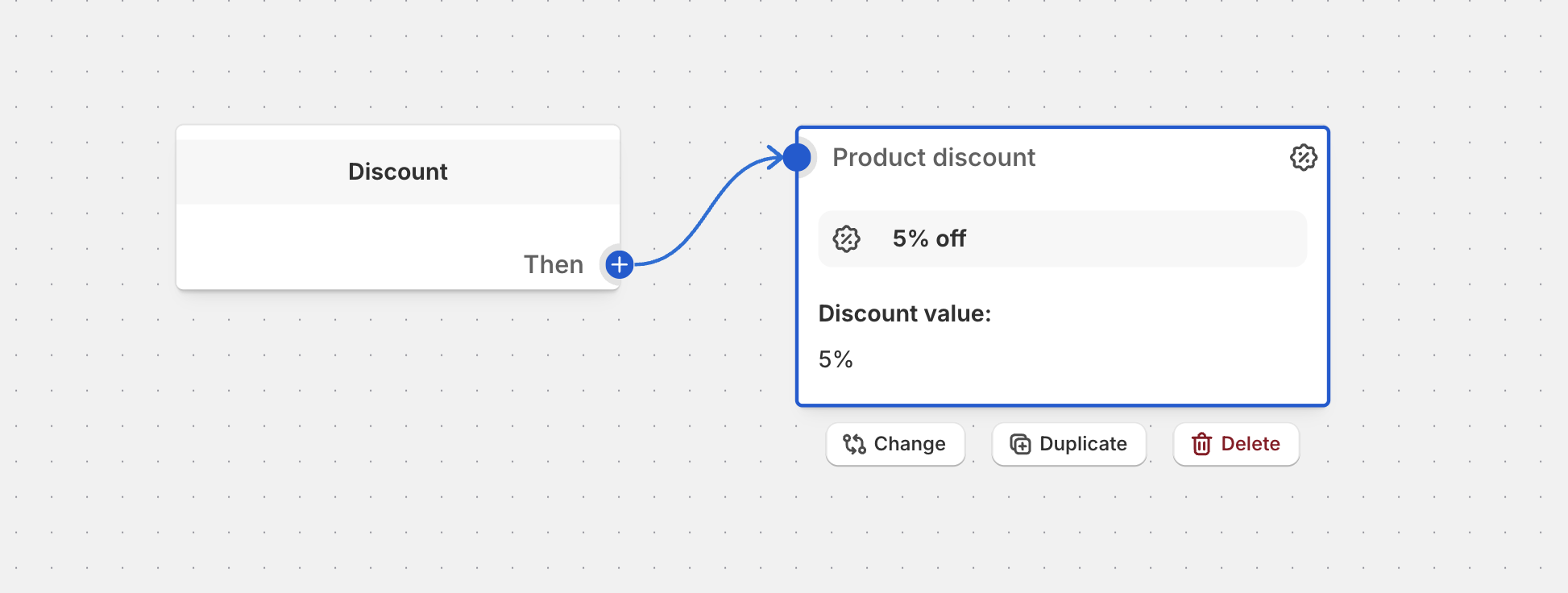
Basic Discount Settings
Learn about discount types (fixed amount, percentage, fixed price) and application strategies to create effective promotional offers.
Basic Discount Settings
This guide covers the fundamental discount settings: discount types and application strategies. These settings form the foundation of any promotional offer you create in Function Studio.
Discount Types
Choose from three types of discounts to create different promotional offers.
Fixed Amount
Take a specific dollar amount off eligible items.
Configuration:
- Type: Fixed Amount
- Value: Enter the dollar amount (e.g., 10 for $10 off)
- Applies to each item: Choose whether to apply the discount to each item or split across all items
Examples:
- $5 off each item: Set value to 5, enable “Applies to each item”
- $20 off total order: Set value to 20, disable “Applies to each item”
Best for:
- Dollar-off promotions (“Save $10!”)
- Fixed savings regardless of item price
- Simple, easy-to-understand offers
Percentage
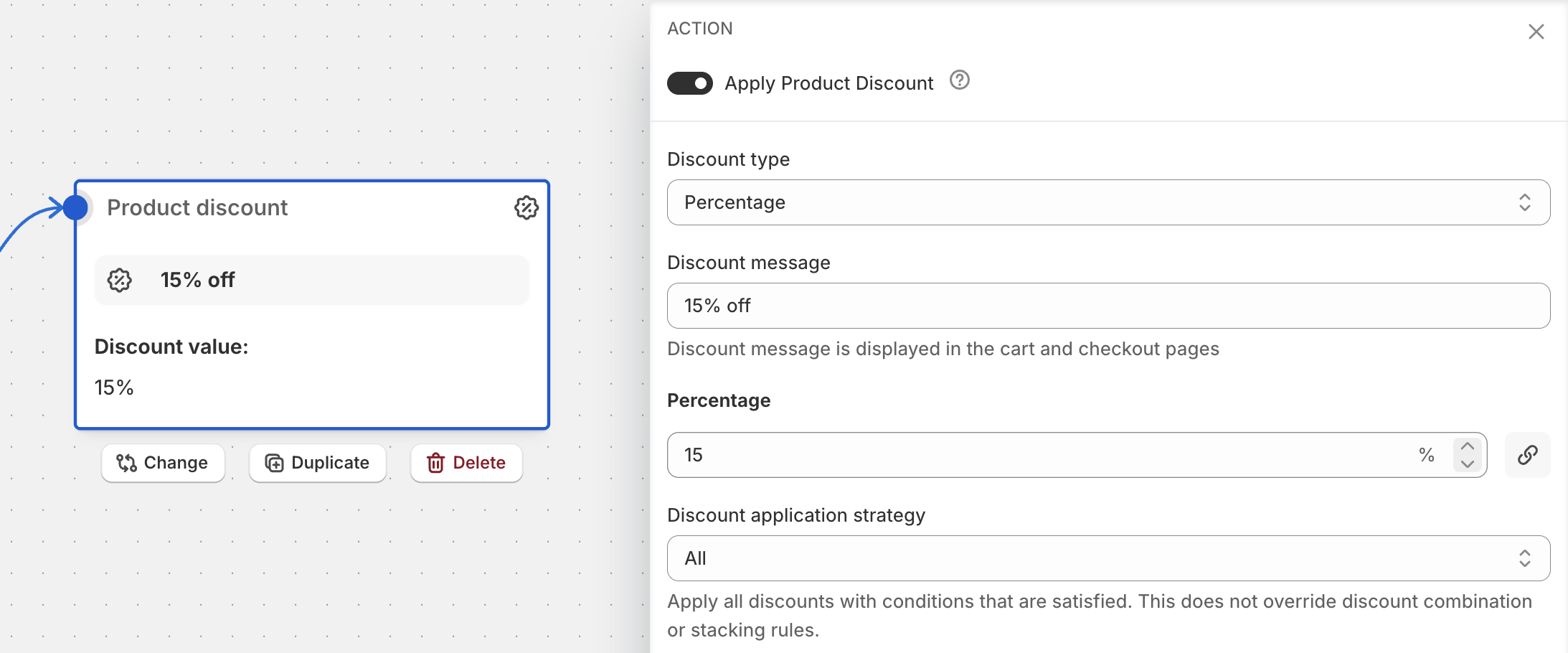
Apply a percentage discount to eligible items.
Configuration:
- Type: Percentage
- Value: Enter percentage (e.g., 25 for 25% off)
Examples:
- 20% off all sale items
- 50% off second item (using quantity settings)
Best for:
- Storewide sales
- Category discounts
- Offers where savings scale with purchase size
Fixed Price
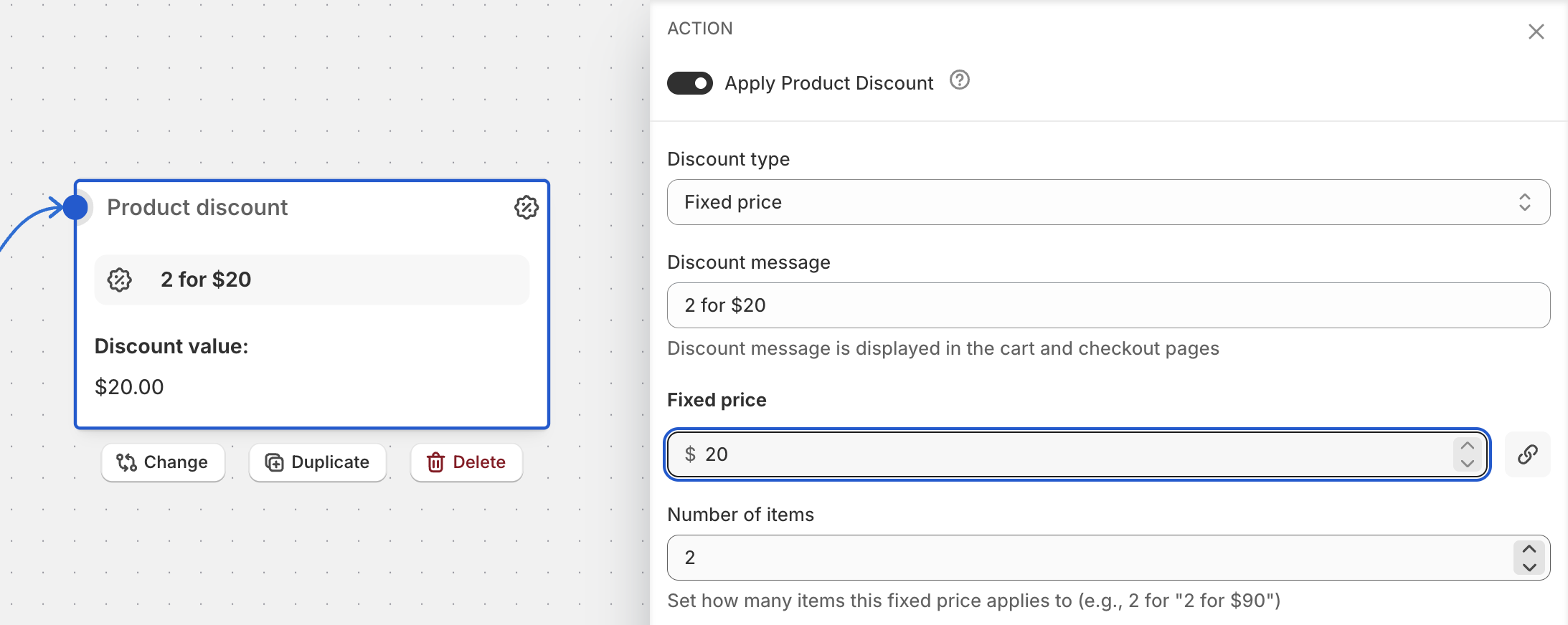
Set a fixed price for a specific number of items (like “3 for $50”).
Configuration:
- Type: Fixed Price
- Value: Total price for the bundle (e.g., 50 for $50)
- Item Count: How many items make a bundle (e.g., 3 for “3 for $50”)
How it works:
- Customers pay the bundle price for complete sets only
- Extra items are charged regular price
- Example: “3 for $50” - customer buys 7 items, pays $50 + $50 + regular price for 1 item
Best for:
- Bundle deals (“3 for $50”)
- Multi-buy promotions
- Encouraging larger purchases
Application Strategy
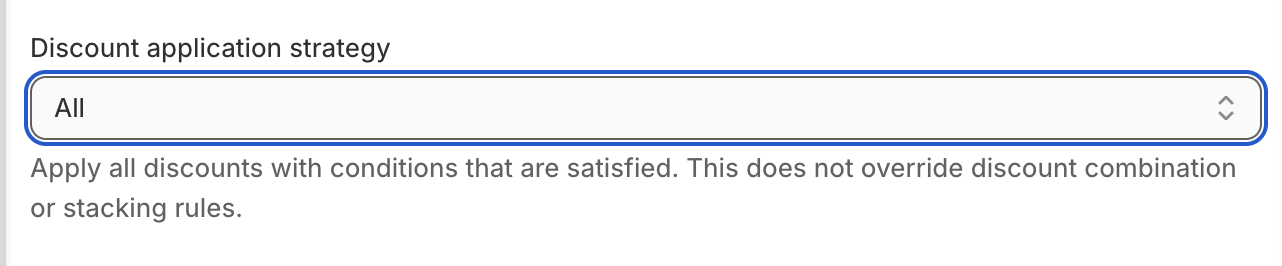
When multiple discounts could apply, the application strategy determines which discounts are used.
Strategory “All”
Apply all qualifying discounts to the order.
When to use: Let customers stack multiple discounts for maximum savings.
Example: Customer gets both “20% off sale items” AND “$5 off orders over $50”.
Considerations:
- Can lead to significant discounts
- Good for loyalty programs
- Monitor to avoid over-discounting
Strategory “First”
Apply only the first discount that qualifies.
When to use: Limit customers to one discount per order with predictable priority.
Example: You have two discounts configured:
- “VIP 25% off” (first in list)
- “Summer sale 15% off” (second in list)
A VIP customer gets the 25% discount; the 15% is not applied.
Considerations:
- Order of discount actions in your flow matters
- Predictable and controlled
- Good when you want specific promotions to take priority
Strategory “Maximum”
Automatically apply whichever discount provides the largest savings.
When to use: Always give customers the best available deal.
Example: Customer qualifies for both 20% off ($30 savings) and $25 flat discount. They automatically get the 20% off since it saves more.
Considerations:
- Customer-friendly - they always get the best deal
- Recommended for most stores
- Reduces customer complaints about “missing” better discounts
Discount Messages
The message customers see when a discount is applied. Clear messaging improves the customer experience.
Writing Effective Messages
- Be specific about what the discount applies to
- Use customer-friendly language
- Include the discount amount or percentage when relevant
Good examples:
- “Summer Sale - 20% off”
- “Buy 2, Get 1 Free”
- “VIP Member Discount”
Avoid:
- Vague messages like “Discount applied”
- Technical jargon
- Overly long descriptions
Dynamic Placeholders
Use placeholders to automatically insert calculated values into your messages.
{{percentage}} Placeholder
Shows the calculated discount percentage.
Usage:
- Works with all discount types (percentage, fixed amount, fixed price)
- Automatically formatted as “XX%”
Examples:
- “Save {{percentage}} on summer items” → “Save 20% on summer items”
- “Get {{percentage}} off your second item” → “Get 50% off your second item”
- “Bundle deal: {{percentage}} off when you buy 3” → “Bundle deal: 15% off when you buy 3”
{{amount}} Placeholder
Shows the monetary discount amount with proper currency formatting.
Usage:
- Automatically formats with currency symbols (USD: $50, EUR: €25) or currency codes (CAD: 50CAD)
- Defaults to USD formatting when currency information is unavailable
Examples:
- “Get 3 items for {{amount}}!” → “Get 3 items for $50!”
- “Special bundle price: {{amount}}” → “Special bundle price: €75”
- “Save with our {{amount}} deal” → “Save with our 60CAD deal”
When to use {{amount}}:
- Fixed price discounts (e.g., “3 for $50” bundles)
- Metafield-based fixed amount discounts
- Any discount where the amount comes from dynamic sources
Common Examples
Basic Sale - 20% Off Category
- Type: Percentage
- Value: 20
- Cart Line Groups: Select your category group
- Message: “{{percentage}} off all summer items”
Dollar Off Promotion
- Type: Fixed Amount
- Value: 10
- Applies to each item: No (split across items)
- Message: “Save $10 on your purchase”
Bundle Deal - 3 for $50
- Type: Fixed Price
- Value: 50
- Item Count: 3
- Cart Line Groups: T-shirts
- Message: “Any 3 t-shirts for {{amount}}“
Best Practices
Choosing the Right Type
| Goal | Recommended Type |
|---|---|
| Simple savings message | Fixed Amount |
| Scales with purchase size | Percentage |
| Multi-buy promotions | Fixed Price |
| ”Dollar off” marketing | Fixed Amount |
| Storewide percentage sale | Percentage |
Strategy Selection
| Goal | Recommended Strategy |
|---|---|
| Best customer experience | Maximum |
| Controlled promotion priority | First |
| Stackable rewards program | All |
Testing Checklist
- Test with different cart combinations
- Verify discount messages display correctly
- Check that placeholders resolve to expected values
- Test edge cases (single item, many items, mixed carts)
Related Documentation
- Quantity Logic - Quantity-based discount settings
- Metafield Discounts - Dynamic discount values from metafields
- Cart Line Groups - Targeting specific products