Gift With Purchase / Auto Add to Cart on Shopify
Learn how to use Promotions to set up a Gift with Purchase campaign.
To set up this promotion:
Activate the Promotions runtime block:
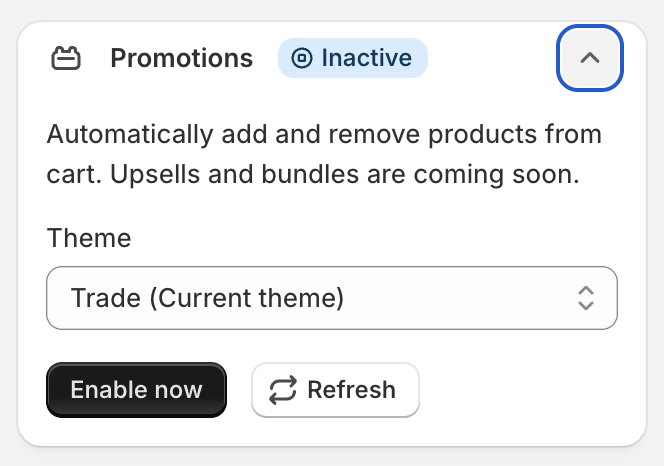
Go to Promotions
Click Create Promotion
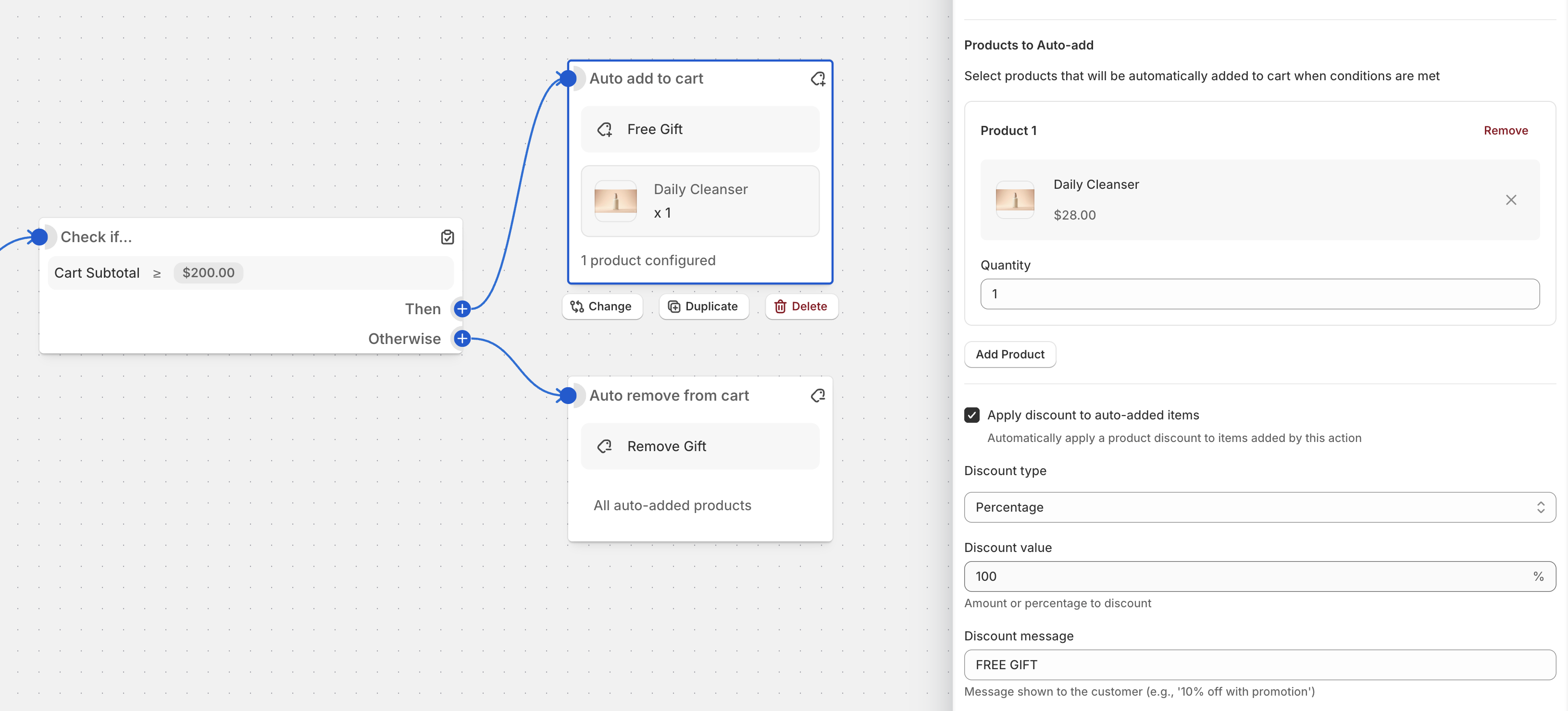
Select Auto-add Gift on Subtotal or any other template
Change the subtotal amount
Select a product
Select a product that should be added automatically when the threshold is reached and change discount message if needed
Support for Shopify standard storefront events
Function Studio supports the Shopify standard storefront events. When the app changes the cart (for example, when it adds a gift), it does two things:
- It applies the change through the standard cart actions (
Shopify.actions.updateCart) when the theme supports them. Modern themes (Horizon, Dawn, and themes built on their components) then update the cart drawer and the cart icon automatically. - It emits the standard
shopify:cart:lines-updateevent, so themes, apps, and agents that listen for the standard events can react to the change.
The app also emits the legacy theme events cart:update, cart:updated, cart:refresh, and cart:build for compatibility with older themes and apps. You can disable each event group in the Advanced section of the promotion.
Legacy and custom themes: page reload after the gift is added
Some legacy and custom themes do not have the standard cart components that Shopify’s storefront runtime looks for. On these themes, Shopify reloads the full page after the app adds the gift to the cart.
To prevent the reload:
- Open the promotion and expand the Advanced section.
- Enable Do not emit standard cart events. This makes the app use the AJAX Cart API directly, and the page does not reload.
- Save the promotion.
Keep Do not emit legacy cart events disabled. The app then continues to emit the cart:updated event, and your theme integration code can use it to refresh the cart UI. Add the integration code in the Theme Integration field of the Promotions runtime app embed. Example for a theme with a custom cart drawer:
<script>
document.addEventListener('cart:updated', () => {
  // Call your theme's own cart refresh function here
});
</script>