Set Payment Terms Action
Set B2B payment terms at checkout - net days, fixed due dates, event-based triggers, and optional deposits.
Overview
The Set Payment Terms action configures payment terms for the current B2B transaction. Payment terms let your business customers defer payment until a later date instead of paying at checkout.
Use this action to:
- Offer net terms - payment is due a set number of days after the order (Net 7 to Net 90)
- Set a fixed due date - payment is due on a specific calendar date, such as the last day of the month
- Trigger payment on an event - payment is due when the order is fulfilled or an invoice is sent
- Require a deposit - collect a percentage of the total upfront, with the rest on terms
- Personalize terms per customer - pull due dates or deposit percentages from customer metafields
Note
Payment terms are only available for B2B customers on Shopify Plus stores. Terms set by this action apply to the current transaction only.
Setup
Create a payment customization
In Function Studio, create a new function of type Payment customization
Add conditions (optional)
Add condition blocks to target specific customers - for example, match a company location, a customer tag, or a customer metafield
Add the action
Click Add Action and select Set Payment Terms from the Payment category
Choose a term type
Select Fixed date, Net terms (days), or Event-based, then configure the fields for that type
Set a deposit (optional)
Enter a deposit percentage if you want an upfront partial payment
Save and activate
Save the flow and activate the payment customization
Settings
Term Type
Required
Selects how the payment due date is calculated. One of Fixed date, Net terms (days), or Event-based. The fields below change based on this selection.
Due Date
Required in Fixed date mode
Defines the calendar date when payment is due. Choose one of four rules:
Specific day of a month
Payment is due on the selected day of the chosen month. Pick a Day (1-31) and a month: Next Month, Month +2, or Month +3.
Use this for terms like “due on the 15th of next month”.
Last day of a month
Payment is due on the last day (28-31) of the selected month: This Month, Next Month, Month +2, or Month +3. The action handles month lengths and leap years automatically.
Use This Month for “end of this month” (EOM) terms.
Days from a customer metafield
Payment is due the given number of days from today. The number of days comes from an integer customer metafield.
Select a metafield definition from the picker, or choose Set manually and enter the Namespace (for example custom) and Key (for example payment_days). Only metafields of type number_integer are supported.
Tip
This rule lets you negotiate different terms per customer without editing the flow - store each customer’s terms in a metafield such as custom.payment_days.
Custom expression
Builds the due date with the visual expression builder. Click the field to open the builder, then combine a date variable with an offset - for example, today’s date + 30 for 30 days from today.
The expression builder includes ready-made Date Modifiers: First of Current Month, First of Next Month, First of Month +2/+3, End of This Month, End of Next Month, and End of Month +2/+3.
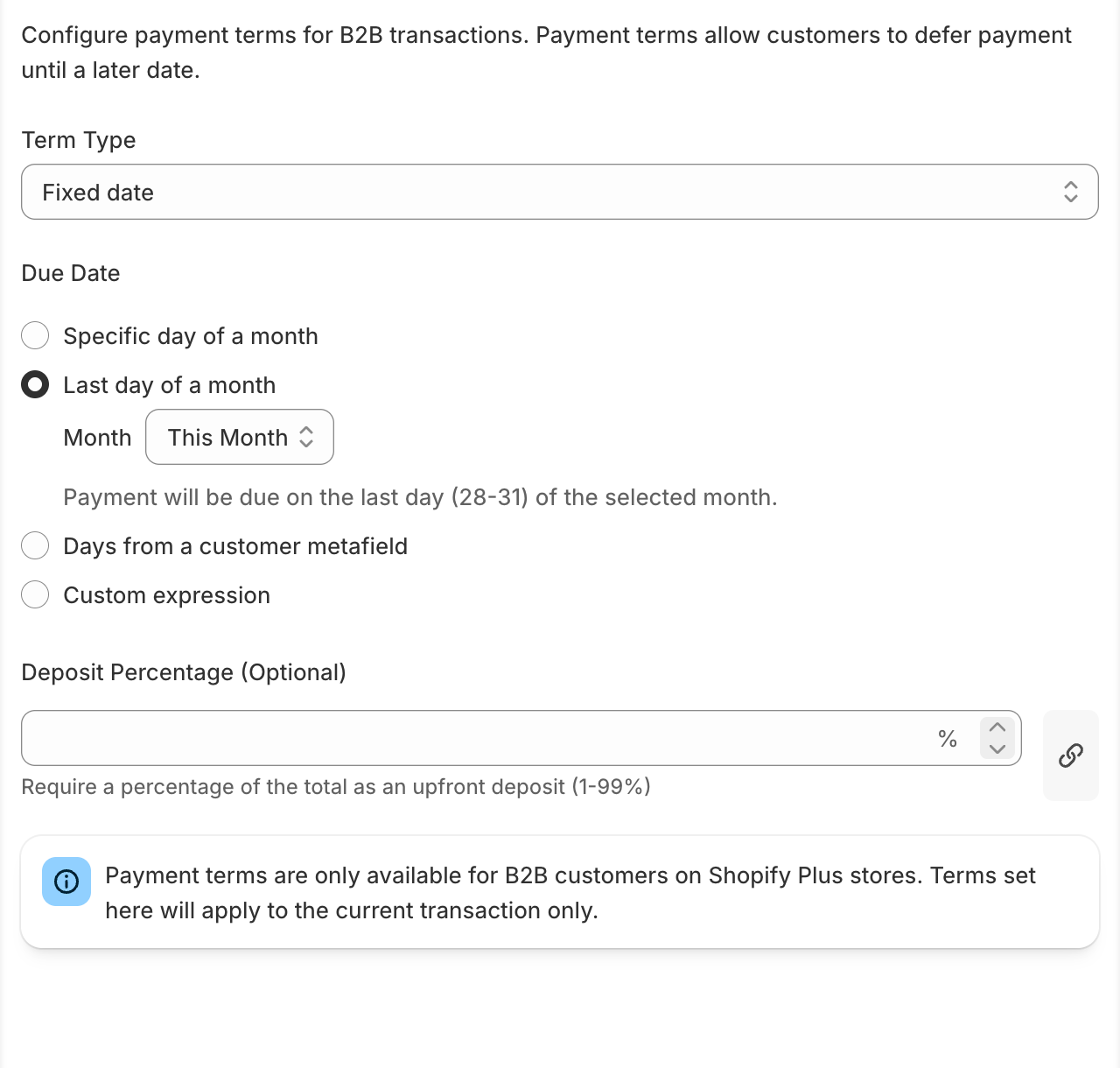
Payment Due In
Required in Net terms mode
The number of days until payment is due. Available options: 7, 15, 30, 45, 60, or 90 days. Default is 30 days.
Payment Due When
Required in Event-based mode
The event that triggers when payment becomes due:
- Items are fulfilled - due when a fulfillment is created
- Order is completely fulfilled - due when the whole order is fulfilled
- Invoice is sent - due when the invoice is sent to the customer
Deposit Percentage
Optional
Requires a percentage of the order total as an upfront deposit (1-99%). The remainder follows the configured payment terms.
The deposit field supports linked values - connect it to a customer metafield, cart attribute, variable, or expression to set a per-customer deposit. A linked value takes precedence over a typed number.
How It Works
- Condition check - the flow evaluates any condition blocks upstream of the action for the current checkout
- Term calculation - the action resolves the due date at checkout time using the shop’s local date, so relative rules like “last day of this month” are always current
- Terms applied - Shopify attaches the payment terms (and deposit, if set) to the B2B checkout for this transaction
If a required value for the selected term type is missing - for example, an incomplete metafield reference - the action makes no change to the checkout.
Examples
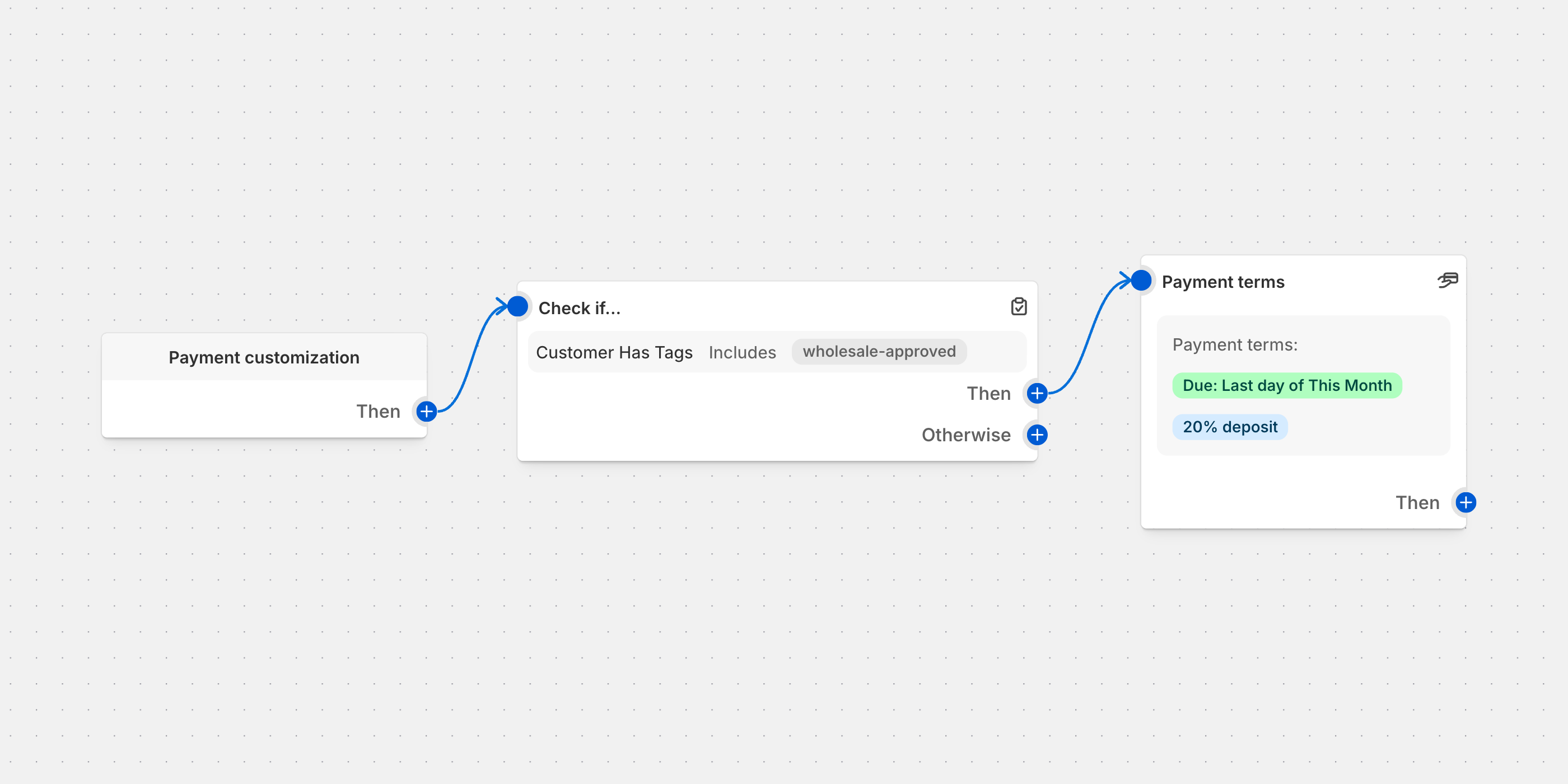
Net 30 for approved wholesale customers
Give customers tagged wholesale-approved standard Net 30 terms.
Add a condition
Customer tags contains wholesale-approved
Add Set Payment Terms
Set Term Type to Net terms (days) and Payment Due In to 30 days
Result
Approved wholesale customers can defer payment for 30 days; all other customers pay at checkout
End-of-month invoicing
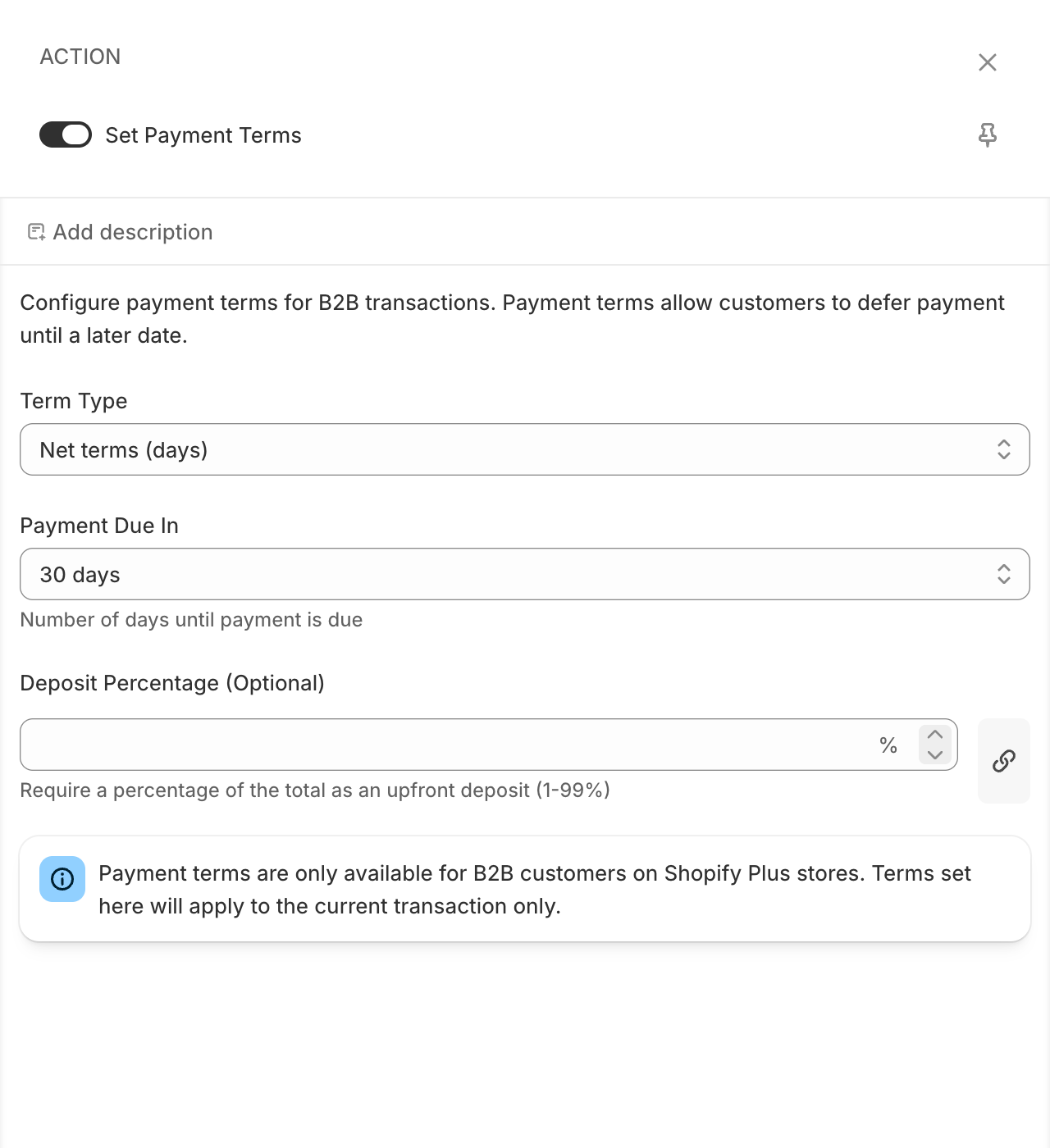
Make all B2B payments due on the last day of the current month.
Add Set Payment Terms
Set Term Type to Fixed date
Choose the rule
Select Last day of a month and set the month to This Month
Result
An order placed on March 10 is due March 31; an order placed on February 5 is due February 28 (or 29 in a leap year)
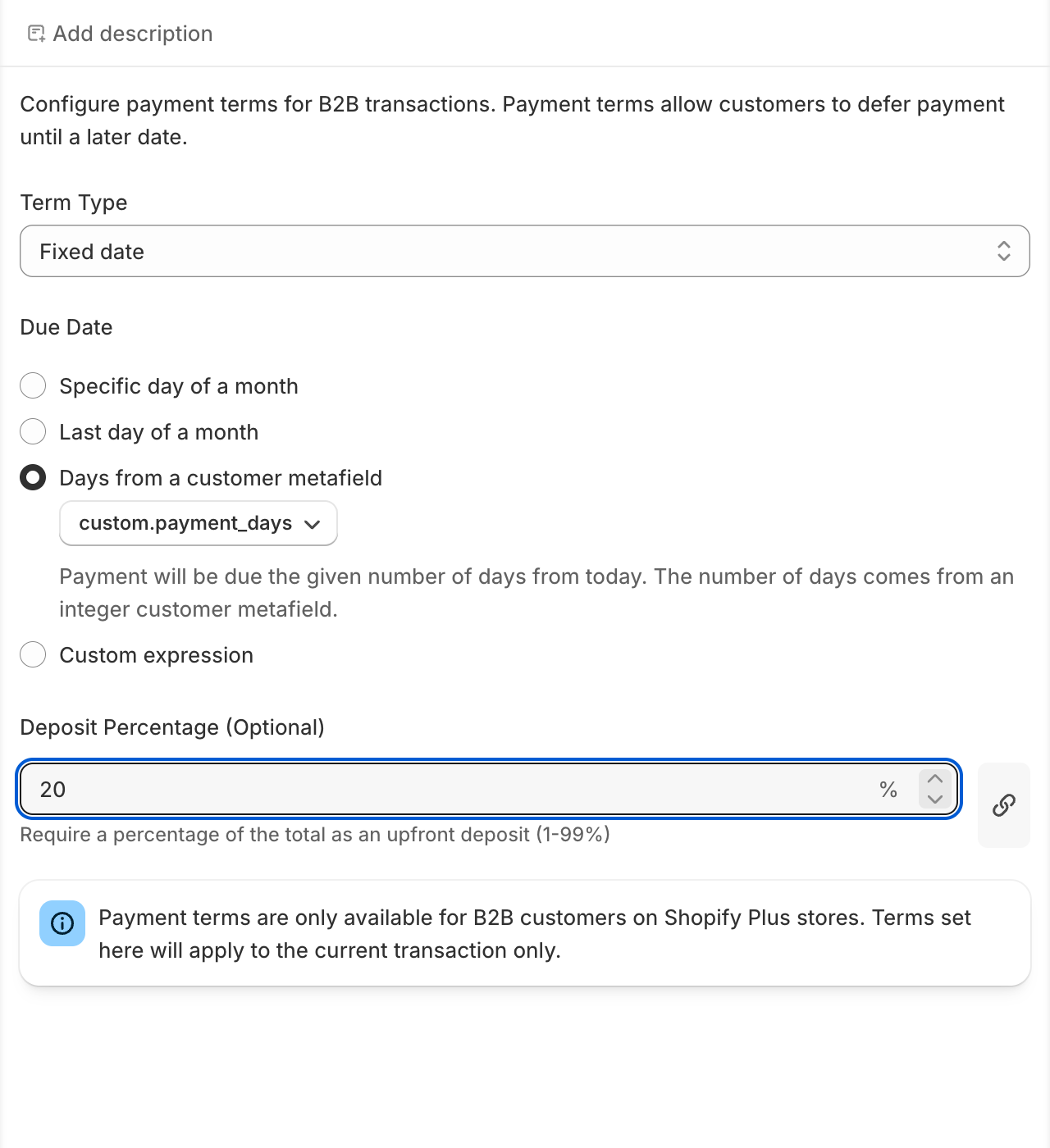
Per-customer terms with a deposit
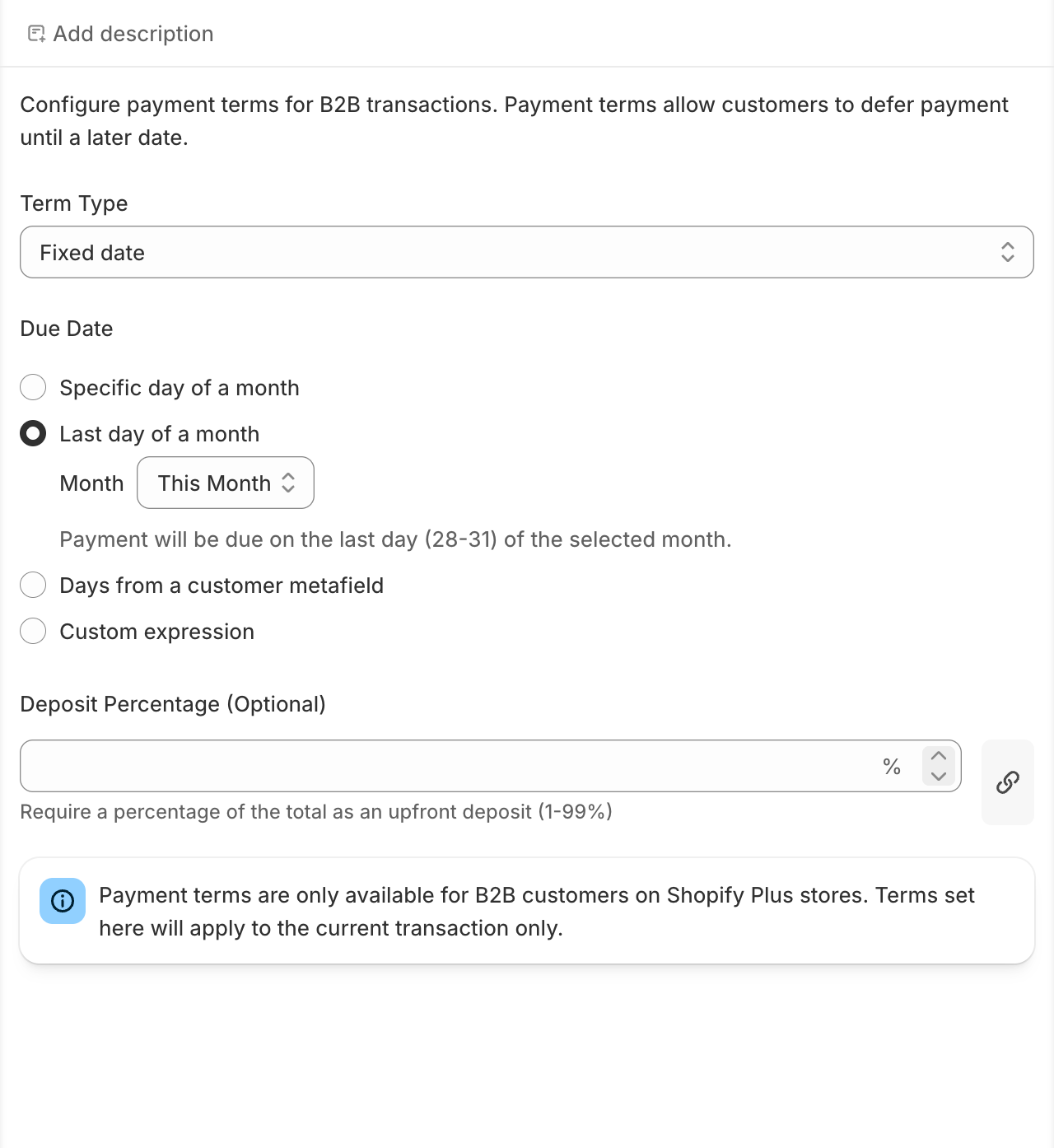
Store each customer’s negotiated terms in a metafield and require a 20% deposit.
Create the metafield
Add an integer customer metafield custom.payment_days and set it per customer (for example 45)
Add Set Payment Terms
Set Term Type to Fixed date, choose Days from a customer metafield, and pick the metafield by its display name (for example Payment days)
Set the deposit
Enter 20 in Deposit Percentage
Result
The customer pays 20% at checkout; the remaining 80% is due 45 days after the order date
Payment on fulfillment
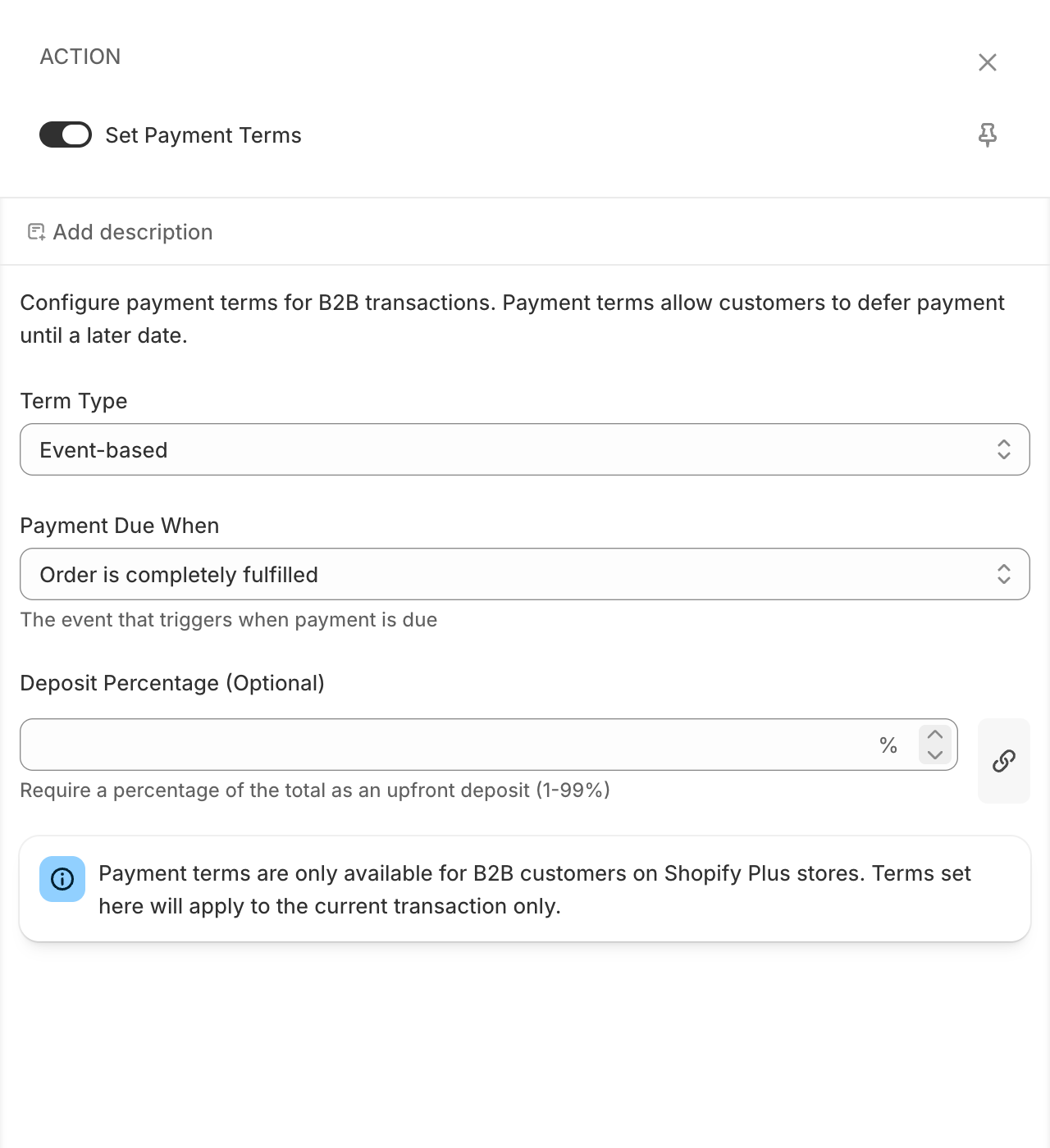
Only charge customers once their goods ship.
Add Set Payment Terms
Set Term Type to Event-based
Choose the trigger
Set Payment Due When to Order is completely fulfilled
Result
Payment becomes due when the full order is fulfilled
Best Practices
Targeting
- Add conditions so terms only apply to the intended B2B customers - match company locations, customer tags, or metafields
- Keep a fallback path with no action for customers who should pay immediately
Term design
- Prefer the built-in rules (Net terms, Last day of a month) over custom expressions - they are easier to audit
- Use customer metafields when terms differ per customer; edit the metafield instead of the flow
- Combine a deposit with longer terms (Net 60/90) to reduce payment risk
Important Considerations
Warning
Payment terms require Shopify Plus and a B2B checkout. The action has no effect for regular (D2C) customers.
Note
Terms apply to the current transaction only. They do not change the payment terms saved on the company location in Shopify admin.
Note
Net terms accept only the fixed values 7, 15, 30, 45, 60, and 90 days. For any other duration, use Fixed date with a custom expression or a customer metafield.
Troubleshooting
Terms are not applied at checkout
- Check the store plan - payment terms need Shopify Plus with B2B enabled
- Check the customer - the checkout must be a B2B checkout for a company customer
- Check conditions - confirm the flow path with the action matches the test customer
- Check activation - the payment customization must be saved and active
Metafield-based due date does not work
- Check the metafield type - only
number_integercustomer metafields are supported - Check namespace and key - both fields must be filled when set manually
- Check the customer record - the metafield must have a value for the customer at checkout
Deposit is ignored
- Check the range - the deposit must be between 1 and 99 percent
- Check the linked value - if the field is linked, the linked source wins over the typed number and must resolve to a number